

How to Generate a List of 100 Random Objects
Somewhere between “I need one random object for a drawing warm-up” and “I need one hundred random objects for a full classroom activity” is a pretty big jump. Most random object tools are built for the first scenario: quick, single results, maybe five or ten at a time. Getting to a clean, non-repetitive list of a hundred takes a slightly different approach.
If you’ve ever tried to build a big object list by hand, you already know the problem: you run out of ideas around object number twenty, then you start repeating yourself without noticing. So here’s a practical walkthrough for getting to 100 objects quickly, keeping the list varied, and actually making it useful once you have it.
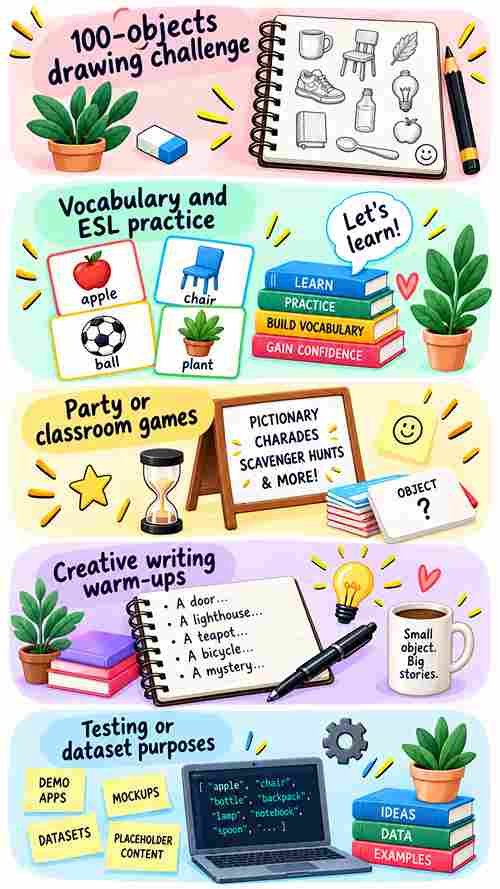
Why would you even need 100 random objects?
It sounds like a strange number to aim for, but it comes up more often than you’d think:
- The classic “100 objects” drawing challenge a : full sketchbook page (or a month) of daily drawing prompts
- Vocabulary and ESL practice giving : students a big enough pool of everyday nouns to describe, spell, or use in sentences
- Party or classroom games : Pictionary, charades, or scavenger hunts need a deep bench so the same three objects don’t keep coming up
- Creative writing warm-ups a : big list to pull from when you want a random noun to build a scene, a poem, or a flash fiction piece around
- Testing or dataset purposes : developers sometimes need a bulk list of everyday item names for demos, mockups, or placeholder content
Whatever the reason, the goal is usually the same: a list that’s long enough to be genuinely useful, and varied enough that it doesn’t feel repetitive.
The fastest way: generate in batches
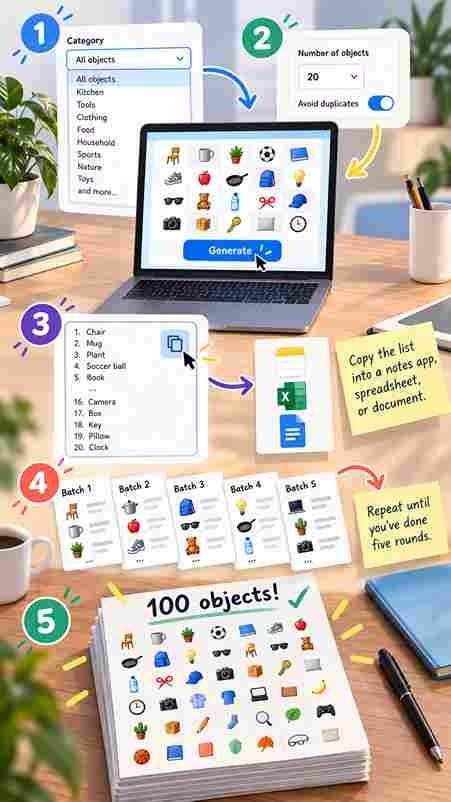
Most object generators, including this one, cap a single round at 20 objects. That’s a deliberate limit; it keeps the results readable and easy to scan on one screen, rather than dumping an overwhelming wall of text. The workaround is simple: run it multiple times and stack the results.
Step by step
- Pick a category (or leave it on “All objects”) if you want a themed list say, only kitchen items or a completely mixed bag.
- Set the count to 20, the maximum per round, and leave duplicate protection switched on. That keeps each individual batch clean.
- Generate, then copy the list into a notes app, spreadsheet, or plain document.
- Generate again, and paste the new batch underneath the first.
- Repeat until you’ve done five rounds. Five batches of 20 gets you to 100 objects.
Ready to rummage?
Spin up a batch of random objects right now — no sign-up, no waiting.
Keeping the list clean across batches
Unique mode stops repeats within one round, but it doesn’t know what you generated five minutes ago in a different round so it’s worth doing a quick pass once you’ve pasted everything together. A few ways to keep it tidy:
- Rotate categories each round : kitchen, then tools, then clothing, then technology, then nature : so overlap becomes much less likely to begin with
- Paste into a spreadsheet and use a “remove duplicates” function once all 100 are in
- Skim manually : with everyday object names, duplicates are usually easy to spot at a glance
Prefer to browse instead of roll the dice?
Randomness is great for surprise, but sometimes you actually want control : say, you’re building a themed list of exactly 100 kitchen and dining items rather than a mixed grab bag. In that case, skip the generator and go straight to the full object list, which is searchable and organized by category.

No tools, no problem: the manual method
If you’d rather not touch a generator at all, you can build a 100-object list the old-fashioned way it just takes more patience:
- Walk through your house room by room and jot down objects as you see them
- Set a timer for five minutes per category (kitchen, bathroom, garage, garden) and write freely
- Ask a friend or student to contribute ten objects each, crowd-sourcing gets you to 100 fast and adds variety you wouldn’t think of alone
Making the list actually useful once you have it
For drawing practice
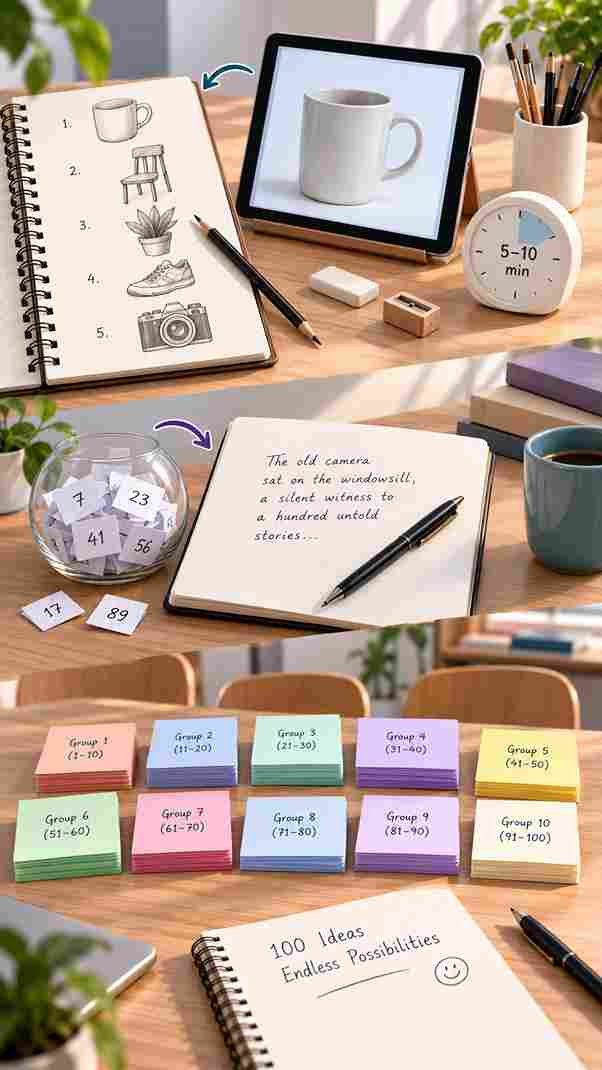
Number each object 1 to 100 and turn it into a daily challenge one object a day, sketched in five to ten minutes. Toggle reference pictures if you want something to look at while you draw rather than working from imagination alone.
For writing prompts
Close your eyes, pick a number, and write a paragraph or scene built around whatever object lands.
Good questions
Frequently asked
Not in a single round most generators, including this one, cap results at 20 per batch so the list stays readable. Running it five times and combining the results is the quickest route to 100.
It’s possible, since duplicate protection only applies within a single round. Rotating categories between rounds, or doing a quick scan once everything’s combined, takes care of it.
Yes. Some categories have a large enough pool that five rounds of 20 will comfortably hit 100 without much overlap. For narrower categories, mixing in a “browse the full list” pass is a good backup.
Yes, browsing the categorized object list directly and picking items by hand is usually faster than rerolling for a very specific theme, since you’re not relying on chance to surface exactly what you want.
Individual objects and full batches can usually be copied out as you go, so pasting each round into a document or spreadsheet as you generate is the easiest way to keep a running, editable list of all 100.