

How to Randomly Generate Objects Using the Random Object Generator
Ever stared at a blank page, a blank sketchbook, or a group of bored kids and thought “I just need a random idea to get started”? That feeling of being stuck is more common than people admit, and it usually has nothing to do with a lack of skill or imagination. It’s simply hard to invent a subject out of thin air, especially when you’re supposed to be creative on command. That’s exactly the gap a random object generator fills. Instead of racking your brain for something to draw, write about, or act out, you let the tool hand you a real, tangible object in seconds, and you get straight to the fun part.
Random Object Generator is built for exactly this moment. It’s free, it works right in your browser, and it doesn’t ask you to sign up for anything before you get your first result. Whether you’re an artist looking for a fresh subject, a teacher planning a quick classroom game, or someone who just wants a small burst of randomness in their day, the tool is designed to get out of your way and give you results almost instantly.
What the Random Object Generator Actually Does?
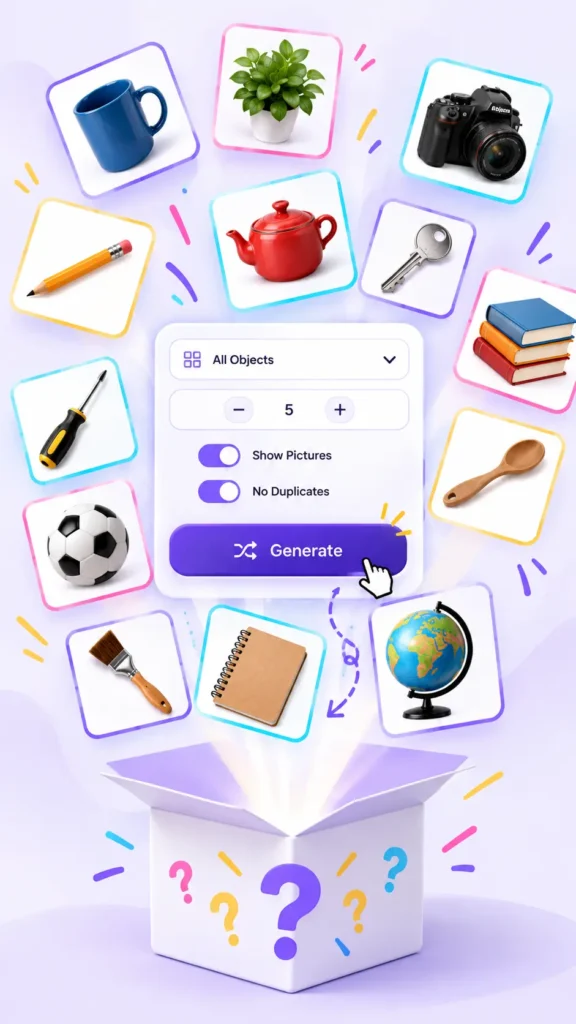
At its core, the tool pulls from a library of over 500 everyday objects and shows you one or several of them at random. Think coffee mugs, screwdrivers, pencil cases, teapots, and hundreds of other things you’d recognize instantly if you saw them in real life. Nothing abstract, nothing invented, just ordinary items pulled from categories like the kitchen, the workshop, the classroom, or the garden. That focus on real, physical things is what makes the results genuinely useful rather than just a novelty.
You’re not limited to a single object either. You can ask for anywhere between one and twenty results in a single go, which means the tool works just as well for a quick one item prompt as it does for building a longer list to use across a whole afternoon of games or drawing sessions. Every result appears on its own card, so you can look at them one at a time or scan the whole batch quickly.
There’s no loading screen and no server delay standing between you and your results. Objects appear almost instantly because everything runs in your own browser rather than being fetched from somewhere else each time. Your saved items and preferences stay stored locally too, with no account required, no email address, and no password to remember. You open the page, adjust a couple of settings if you want to, and you’re generating within seconds.
Why People Turn to a Tool Like This?
Most people don’t plan to use a random object generator until they hit a wall. Maybe it’s a sketchbook page that’s been empty for a week, or a writing prompt that just won’t come no matter how long you stare at the cursor. Maybe it’s a classroom of restless kids who need one more round of a game before the bell rings, and you don’t have the energy left to invent new material on the spot.
That’s really the appeal of it. The tool removes the pressure of choosing a subject yourself, so you can spend your energy on the actual drawing, writing, or game instead of the decision that usually comes before it. It also adds an element of surprise that self chosen prompts rarely have, since people naturally gravitate toward the same handful of ideas when left to their own devices. A random object breaks that pattern and pushes you toward something you probably wouldn’t have picked on your own.
Every object in the library comes with a matching picture, not just a name. You can leave pictures turned on if you want something visual to look at while you sketch, describe, or explain the object, or you can switch to a clean text only list when you just need names quickly, for example when you’re calling out items for a party game and don’t need the visual at all. That flexibility means the same tool works for a drawing class and a fast paced trivia round without feeling clunky in either setting.
Ready to rummage?
Spin up a batch of random objects right now — no sign-up, no waiting.
Steps to Randomly Generate Objects
Getting a result takes only a few taps, and the process stays the same whether you want one object or twenty. Here’s how it works in practice, from opening the page to walking away with a finished list.
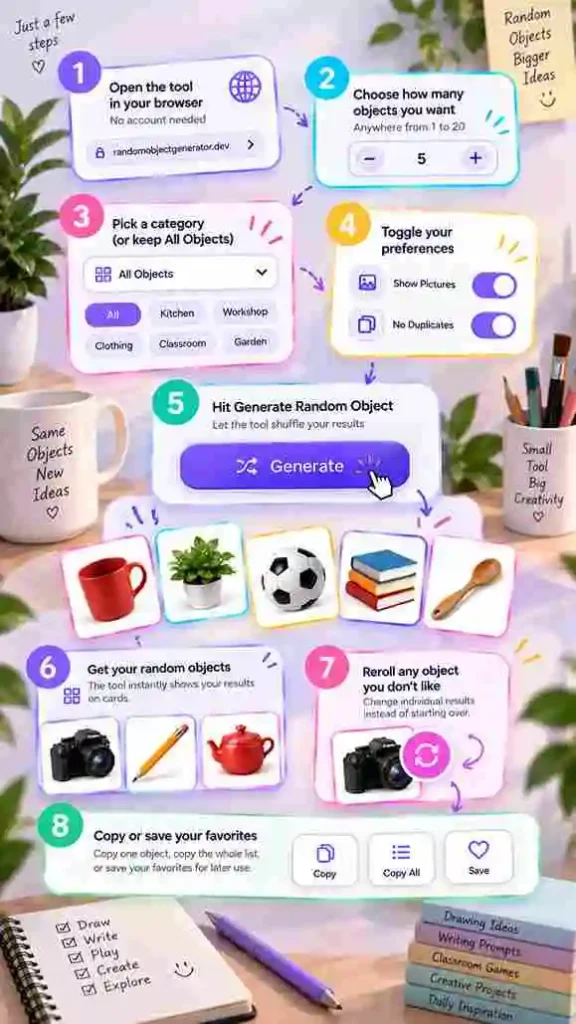
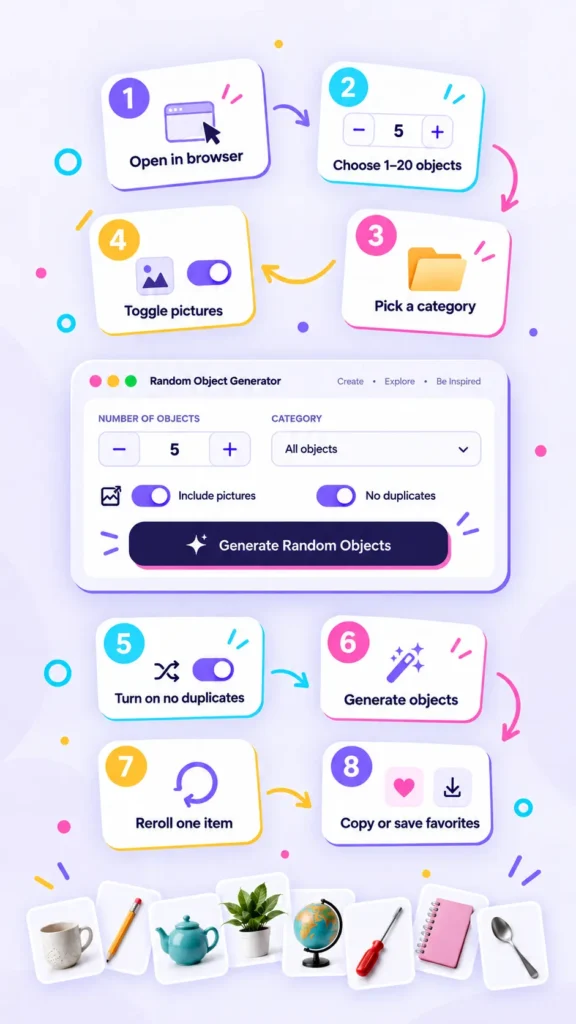
- Open Random Object Generator in your browser, no account needed
- Choose how many objects you want, anywhere from 1 to 20
- Pick a category such as Kitchen, Workshop, Clothing, or leave it on All Objects for a wider mix
- Toggle Show Object Pictures on or off depending on whether you want visuals
- Turn on the no duplicates setting if you want every result to be unique
- Select Generate Random Object and let the tool shuffle your results onto cards
- Reroll any single object you’re not happy with instead of starting the whole list over
- Copy one object, copy the whole list, or save favorites for later use
Ways to Use Your Random Objects
Once you have a list of objects, what you do with them really depends on why you came looking in the first place. The tool itself stays the same, but the use cases stretch across drawing, writing, games, and even learning a new language, which is part of why so many different kinds of people end up using it regularly.
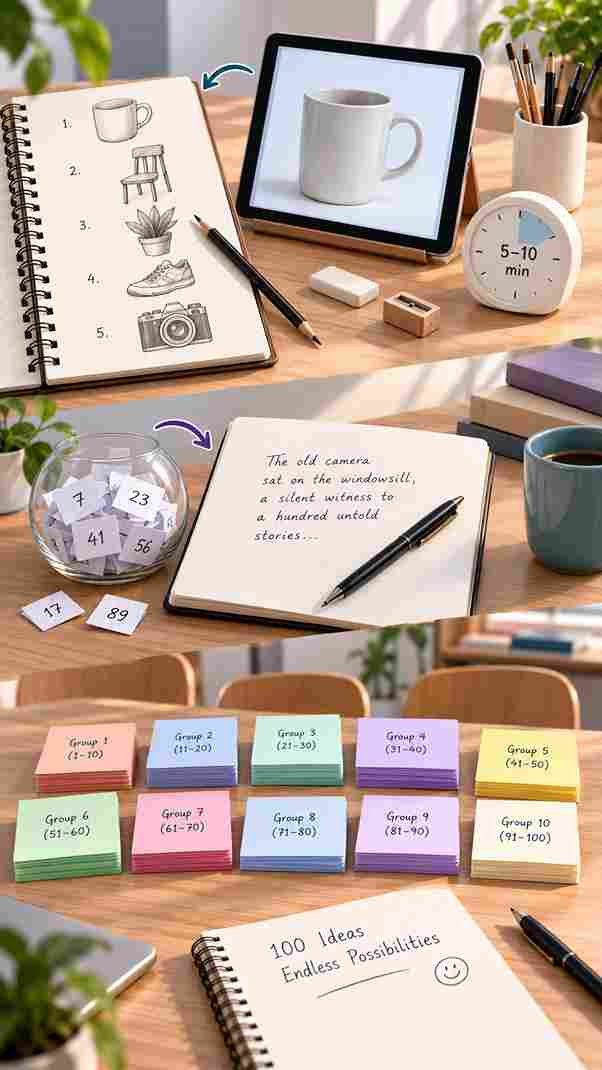
Artists often use it as a quick way to practice drawing something unplanned, since sketching a random object trains your eye in a way that drawing familiar subjects doesn’t. It forces you to actually look at proportions, shading, and small details instead of relying on memory. Writers and worldbuilders drop a random object into a scene or a poem to nudge a story in a direction they hadn’t considered, sometimes using it as a small prop that changes the whole tone of a paragraph they were struggling with.
Teachers and parents lean on it for classroom games like Pictionary or charades, where a fresh object every round keeps things moving and stops the same few kids from dominating with ideas they prepared ahead of time. It also works well for vocabulary practice, especially for language learners who benefit from naming and describing everyday things they can actually picture, since concrete objects are far easier to remember than abstract vocabulary lists.
Good questions
Frequently asked
It’s a tool that selects one or more tangible, everyday objects from a prepared library, showing you names and pictures without you having to think of the items yourself. It’s meant for creative and everyday use rather than anything technical or scientific.
Yes. You can choose anywhere between 1 and 20 objects before hitting generate, so it works whether you need a single idea for a quick sketch or a full list for a longer game or writing session.
Not if you keep the no duplicates setting on, which is enabled by default and stops repeats within a single result. You can turn it off if you’d rather allow repeats, though most people leave it as is.
Yes. You can pick from categories such as Household, Kitchen, Technology, or Sports before generating, or leave it on All Objects if you’d rather get a broader spread across everything in the library.
No. There’s no sign up required at all, and your saved objects and preferences are simply kept in your own browser, which means you can start generating the moment you land on the page.